

- Free Compass API Key
- Wallet (EOA or smart account guide)
Introduction
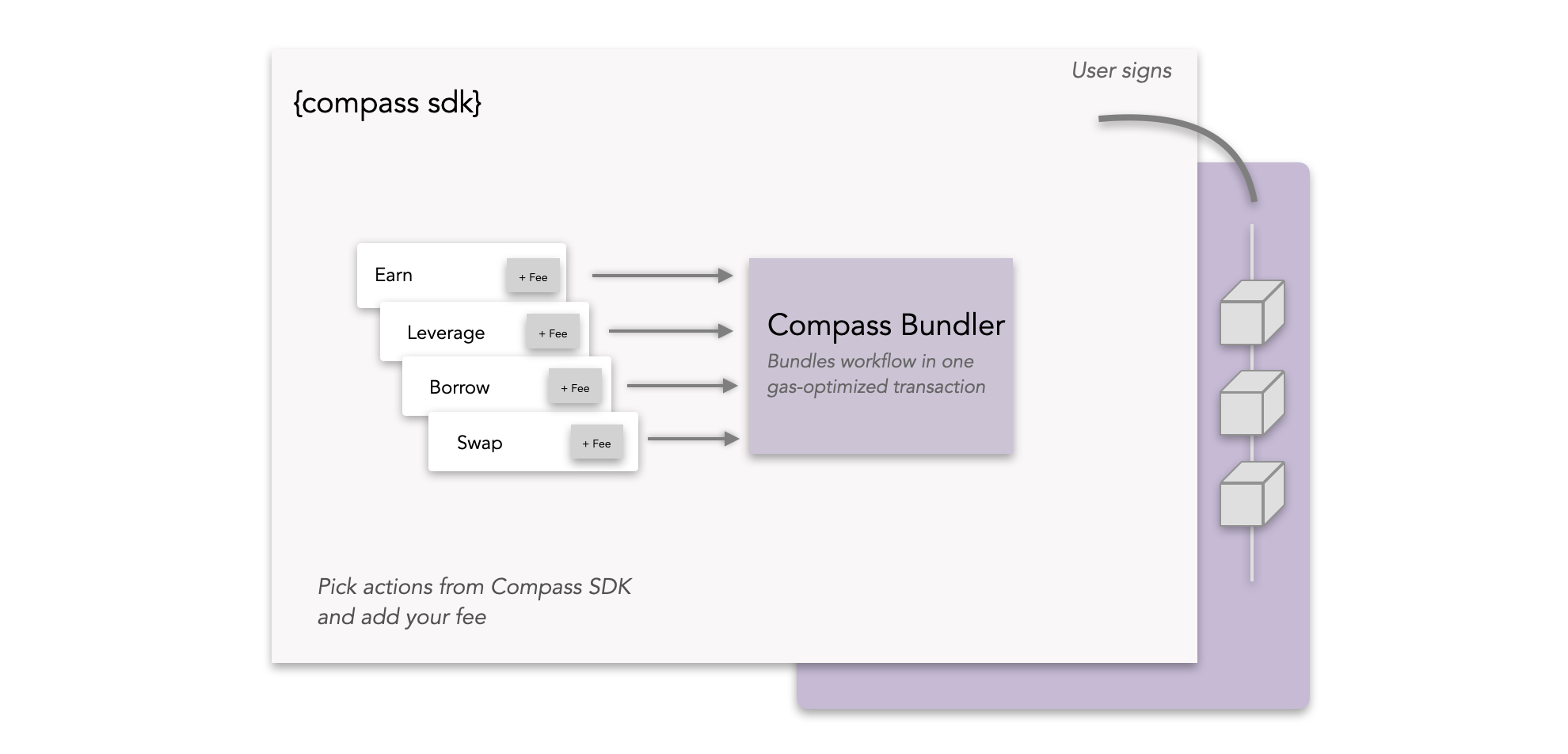
Embedded Fees let you add your fee (on deposit, withdrawal, performance, management, your choice) inside the same user-signed transaction that executes the DeFi flow. It’s fully non-custodial, one atomic transaction, and no new smart contracts. This guide shows how to bundle three actions into a single atomic transaction using the Compass SDK:- Approve: Set ERC-20 allowance on Morpho
- Fee: transfer a portion of the asset to your fee address
- Deposit: deposit tokens on Morpho
This pattern generalizes: you can combine any supported actions ( Aave/Morpho/Uniswap/Pendle/Sky, and any ERC‑4626 vault) in one bundle.
By adding a fee step, you get paid automatically whenever users transact with your DeFi product built with the Compass API.
Learn more about the concept: How Compass turns on revenue instantly.
Setup
1
Install Dependencies
Install the required packages.
2
Set Environment Variables
Create a .env file in your project root.
.env
3
Import Libraries & Environment Variables
4
Initialize SDK and Account
The full, uninterrupted code is available at the end of the tutorial.
Get Authorization
Before you can bundle transactions, you need to get an authorization from the Compass API and sign it with your private key. This ensures only you can execute the batch.1
Get and Sign Authorization
Request authorization from the Compass API and sign it with your wallet to authenticate the transaction batching.
Bundle the Actions
Now let’s bundle the allowance, transfer, and deposit actions for atomic execution. This step shows how to combine both actions into a single transaction using the Compass API.1
Create Bundled Transaction
Bundle the allowance, transfer, and deposit actions for atomic execution. This step shows how to combine both actions into a single transaction using the Compass API.Any transactional endpoint in the Compass API can be turned into an action, see API Reference.
Execute the Transaction:
The final step is to sign and broadcast the transaction to the network. This will execute your bundled actions in a single atomic transaction.1
Sign and Broadcast Transaction
Sign the returned transaction with your private key and broadcast it to the network. Use the helper function we defined above to do this. This is the final step to actually send your bundled transaction to Ethereum.
Full Code
Here is the full script from the tutorial. Copy and paste into your code editor and play around!Resources.
Compass API Docs
Access detailed API documentation and references
GitHub Examples
View more code examples and implementations